The right construction field tablet is the one that survives the jobsite, runs the required apps, stays connected where crews actually work, and can be managed securely by the company. Hardware specifications matter, but the better buying decision starts with field workflows, support needs, and network reliability.
Field Device Selection Snapshot: Match the device to work tasks, screen use, glove use, battery demands, weather exposure, camera needs, connectivity gaps, security policy, and replacement support. This article is educational only and is not IT, cybersecurity, engineering, procurement, or compliance advice.
Match hardware to the jobsite workflow
Start by listing what field users must complete on the device. Common workflows include daily reports, drawings, punch lists, RFIs, safety forms, equipment checks, photos, barcode scans, permit access, time entry, and video calls with office staff. A superintendent who reviews drawings all day may need a larger screen than a technician who scans assets and closes work orders. A device that is excellent for one role can be frustrating for another.
The workflow also determines the operating system, storage, camera quality, stylus support, and accessory needs. If the team relies on specific project management or maintenance software, confirm compatibility before comparing device prices. If the device will be used in basements, rooftops, dusty renovation areas, or mechanical rooms, consumer-grade assumptions may not hold.
This selection process overlaps with broader facilities planning. Teams looking at older buildings often need devices that capture photos, notes, and asset data in one visit, which connects with the questions raised by facility managers working with aging buildings.
Compare device types by field reality
| Option | Best fit | Watch-outs | Evaluation question |
|---|---|---|---|
| Consumer tablet in protective case | Light-duty documentation and office-adjacent use | Damage risk, limited accessory durability, shorter support window | Can it survive the actual route without repeated replacements? |
| Rugged tablet | Heavy field use, gloves, dust, vibration, outdoor viewing | Higher purchase cost, heavier form factor | Does the durability reduce disruption enough to justify the investment? |
| Rugged handheld | Asset scanning, inspections, compact maintenance workflows | Smaller screen for drawings | Is speed more important than full-plan visibility? |
| Laptop or convertible | Complex forms, estimating, commissioning, or office-field hybrid work | Less convenient for ladder, roof, or tight-space use | Does the role need keyboard-heavy work in the field? |
Ruggedization, battery life, and usability belong together
Rugged specifications are useful only when they match the environment. Dust, rain, vibration, drops, cold, heat, and screen glare can all affect field use. Battery life should be judged against the length of the shift and the availability of charging points. A hot-swappable battery or truck charger may matter more than a slightly faster processor.
Usability is equally important. Field users may wear gloves, work in bright sun, carry tools, or need one-handed operation. Test screen brightness, camera speed, login time, offline app behavior, and how easy it is to enter notes while standing. A device that looks good in a conference room may fail the first time a technician tries to capture a serial number in a dim mechanical room.
For permit-heavy work, tablet access should also support drawings and inspection records. That makes device planning part of the same control system discussed in building permit process steps. Device needs can also shift when occupancy type changes finish selection priorities and field teams document different room conditions.
Connectivity setups for changing jobsites
Construction sites are difficult wireless environments. Walls move, temporary power changes, trailers relocate, materials block signals, and crews work in areas that were not designed for finished-building connectivity. NIST has noted in research on construction wireless deployment that active projects differ from completed facilities because the communications network must adapt as the project changes. Its paper on wireless deployment challenges in construction is a helpful technical reference for larger or more complex sites.
Smaller teams can still apply the same logic. Map where users work, test cellular coverage, identify dead zones, decide when offline mode is acceptable, and define backup options. A practical setup may combine cellular tablets, mobile hotspots, trailer Wi-Fi, offline document syncing, and a clear policy for uploading photos or forms when signal returns.
Security and support matter as much as the screen

A field tablet can contain drawings, access notes, photos, customer information, asset data, and credentials. That makes device management a business-risk issue. NIST's mobile device security guidance covers enterprise mobile-device management across deployment, use, and disposal. CISA's mobile device cybersecurity checklist also highlights practical controls such as managed updates and secure access.
For construction teams, the procurement checklist should include mobile device management, remote lock and wipe, app control, operating system update support, user authentication, repair turnaround, spare pool policy, and end-of-life replacement. Buying fewer models can make support easier, especially when crews need chargers, mounts, cases, and training.
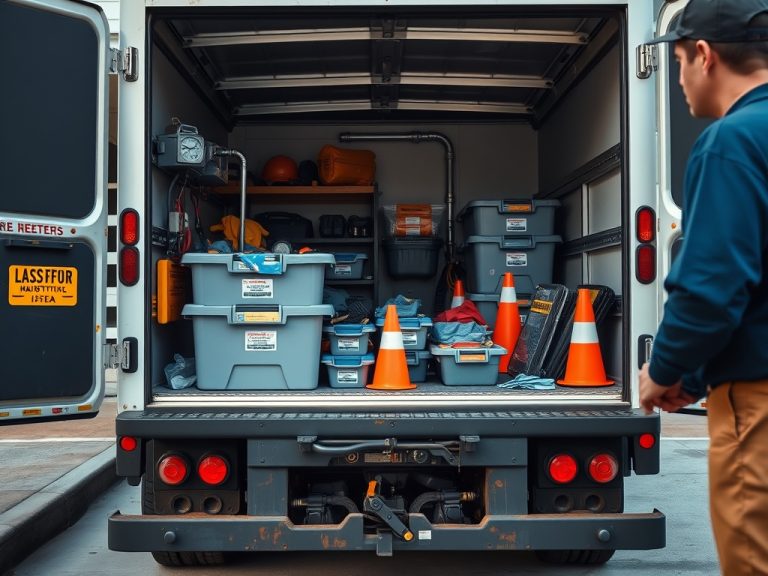
Device security also supports maintenance accuracy. A team closing work orders from the field needs reliable records, and that same record quality can improve truck restocking and recurring repair analysis. It is useful to align field devices with service truck stocking practices so tools, parts, and documentation move together.
Pilot the setup where work is hardest
A pilot should include the people and places most likely to expose weaknesses. Test the device in bright sunlight, low-light mechanical rooms, dusty renovation spaces, areas with weak signal, and tasks that require gloves or fast photo capture. Ask users to record where they slowed down, which accessories helped, and where connectivity failed. The pilot should also test support: how updates are pushed, how a lost device is locked, how a broken screen is replaced, and how users get help without abandoning the job. Include at least one skeptical field user, because friction appears fastest when the test reflects real habits.
Buying questions before approving a rollout
- Which roles need tablets, handhelds, or laptops?
- Which apps must run online and offline?
- What screen size supports drawings without slowing field use?
- How long must the battery last without a charger?
- What environmental exposure is realistic, not theoretical?
- Who manages updates, lost devices, permissions, and replacements?
- What connectivity backup exists for low-signal areas?
- How will training be handled for field users who do not sit at desks?
Choose devices like a field system, not a shopping list
The strongest device program treats hardware, connectivity, apps, accessories, security, and support as one system. Before purchasing, run a small pilot across the hardest field conditions, collect user feedback, and update the standard package. The right setup should reduce friction in daily work rather than add another fragile tool to the crew's kit.